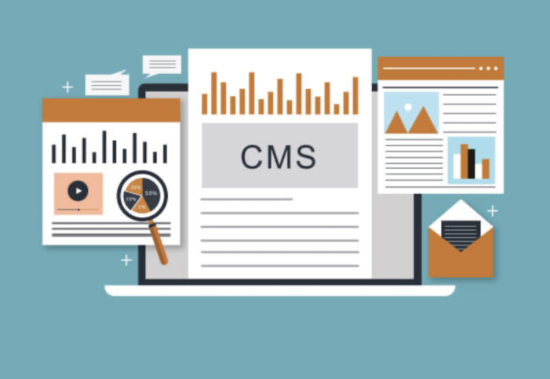
The Website Struggle: Before CMS Existed
Imagine it’s the early 2000s. You want to launch a simple blog, but every update requires:
- Writing HTML code by hand
- Uploading files via FTP
- Manually fixing broken links
A single typo could crash your entire site.
Then came Content Management Systems (CMS)—revolutionizing how we build and manage websites. Today, 64% of all websites use a CMS (W3Techs). But what exactly is it?
What Is a Content Management System (CMS)?
A CMS is software that lets you create, edit, and publish digital content (websites, blogs, stores) without coding.
How It Works:
- Database: Stores your content (text, images, etc.)
- Interface: User-friendly dashboard (like WordPress’s editor)
- Frontend: Displays content to visitors with pre-designed themes
Example: When you edit a blog post in WordPress, the CMS automatically:
- Updates the database
- Adjusts all linked pages
- Optimizes images
Types of CMS Platforms
| Type | Best For | Examples |
|---|---|---|
| Open-Source | Full customization | WordPress, Joomla, Drupal |
| SaaS | Ease of use | Shopify (stores), Wix (portfolios) |
| Headless | Developers | Contentful, Strapi |
| Enterprise | Large companies | Adobe Experience Manager |
Why Use a CMS? 5 Game-Changing Benefits
🚀 1. No Coding Needed
Drag-and-drop editors let anyone publish content.
💰 2. Saves Money & Time
Launch sites 10x faster than custom coding.
🔍 3. Built-In SEO Tools
Auto-generate sitemaps, meta tags, and clean URLs.
📱 4. Mobile-Friendly
Themes adapt to phones/tablets automatically.
👥 5. Multi-User Access
Assign roles like “Editor” or “Contributor.”
How to Choose the Right CMS
Ask yourself:
- What’s my goal?
- Blog? → WordPress
- Online store? → Shopify
- Business site? → Squarespace
- What’s my budget?
- Free: WordPress.org (hosting not included)
- $10–$50/month: Wix, Shopify
- Do I need plugins?
WordPress offers 60,000+ free plugins (for forms, SEO, etc.).
Popular CMS Platforms Compared
| CMS | Ease of Use | Cost | Best Feature |
|---|---|---|---|
| WordPress | ★★★★☆ | Free+ | Unlimited customization |
| Wix | ★★★★★ | $16+/mo | AI design assistant |
| Shopify | ★★★★☆ | $29+/mo | 1-click checkout |
| Squarespace | ★★★★☆ | $16+/mo | Stunning templates |
The Future of CMS
- AI Integration: Tools like HubSpot CMS Hub auto-generate content.
- Voice Search Optimization: CMS platforms now prioritize voice-friendly content.
- Block Editors (WordPress Gutenberg): Make designing as easy as stacking LEGO blocks.
Getting Started With a CMS
- Pick a platform (WordPress for most beginners).
- Choose hosting (Bluehost, SiteGround).
- Install with 1 click (No tech skills needed).
Who Needs a CMS?
✅ Bloggers
✅ Small businesses
✅ E-commerce stores
✅ Anyone who wants a website without hiring a developer
(updated in 2025)
“WordPress powers over 43% of all websites—because it just works.” – Matt Mullenweg, WordPress co-founder



2 replies on “What Is a Content Management System (CMS)? The Complete Beginner’s Guide”
kalau saya saat ini masih menggunakan cms wordpress saja dan belum pernah pakai joomla maupun drupal
[…] menambahkan konten baru yaitu terlalu teksis. Meskipun website sudah menggunakan menggunakan CMS (Content Management System) yang canggih, pembuatan website masih diluar jangkauan pengguna web umumnya. Namun blog sudah […]