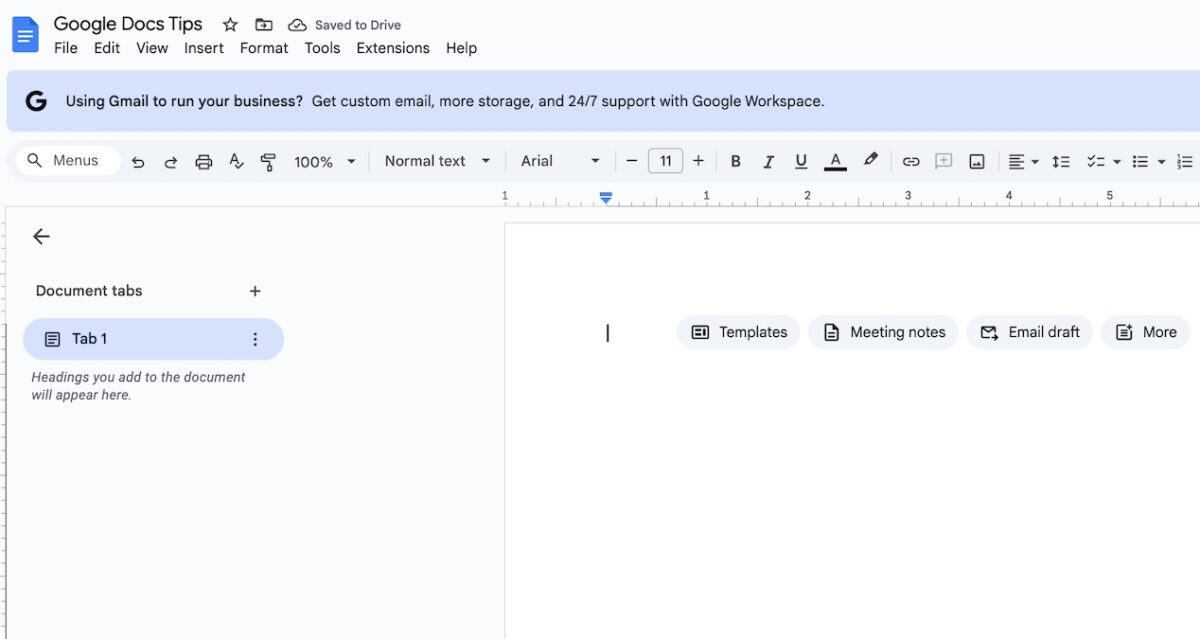
The Google Docs Margin Mystery (And Other Formatting Hacks)
You’ve just finished drafting an important report in Google Docs when you realize:
- The margins are too wide, wasting space
- There’s an extra blank page you can’t remove
- Your professor requires double spacing
- You need to cross out text without deleting it
Don’t panic! This guide will walk you through these common formatting challenges like a pro.
How to Change Margins in Google Docs
Method 1: Ruler Adjustment (Quickest)
- Open your Google Doc
- Look for the gray ruler at the top
- Drag the blue margin markers left/right:
- 🔵 Left margin: Triangle pointing right
- 🔷 Right margin: Triangle pointing left
Method 2: Page Setup (Precise Control)
- Click File → Page setup
- Enter exact margin sizes (default is 1 inch)
- Choose “Apply to entire document” or just certain sections
Pro Tip: Use 0.5″ margins for resumes to fit more content.
How to Delete a Page in Google Docs
If the Page Has Content:
- Select all text on the page (Ctrl+A or Cmd+A)
- Press Delete
If It’s a Blank Page:
- Place cursor at the end of the previous page
- Press Delete until the page disappears
- Still stuck? Adjust line spacing or page breaks
Why This Happens: Hidden formatting like:
- Extra paragraph marks 
- Page breaks (Insert → Break → Page break)
- Section breaks
How to Double Space in Google Docs
For the Entire Document:
- Press Ctrl+A (Cmd+A on Mac) to select all
- Click the Line spacing icon (looks like up/down arrows)
- Choose “Double”
For Specific Text:
- Highlight the desired text
- Use Format → Line & paragraph spacing → Double
Bonus: Set double spacing as default in “File → Page setup → Set as default”
How to Strikethrough on Google Docs
3 Ways to Cross Out Text:
- Quick Menu:
- Highlight text → Click Format → Text → Strikethrough
- Keyboard Shortcut:
- Windows: Alt+Shift+5
- Mac: ⌘+Shift+X
- Mobile App:
- Tap text → Format (A icon) → More (⋮) → Strikethrough
Creative Uses:
- Tracking edits without deleting
- Creating to-do lists (✓ done items)
Google Docs Formatting Cheat Sheet
| Task | Steps | Shortcut (Windows) |
|---|---|---|
| Change margins | File → Page setup | N/A |
| Delete page | Remove extra breaks | Backspace/Delete |
| Double space | Format → Line spacing | Ctrl+2 |
| Strikethrough | Format → Text → Strikethrough | Alt+Shift+5 |
Troubleshooting Common Issues
❌ Margins won’t change?
- Check if you’re in Print Layout view (View → Mode)
❌ Can’t delete blank page?
- Show hidden characters with View → Show section breaks
❌ Double spacing looks wrong?
- Adjust paragraph spacing separately from line spacing
Pro Formatting Tips
✨ Use custom margins for school papers (check professor’s requirements)
✨ Combine strikethrough + comments for collaborative editing
✨ Set 1.15 spacing for business documents (easier to read than single space)
Now You’re a Google Docs Formatting Master!
Next time you need to:
- Fix awkward margins
- Kill stubborn blank pages
- Meet double-spacing requirements
- Show edits with strikethrough
…you’ll know exactly what to do!
Which formatting trick saved you today?
Tell us in the comments!
(updated in August 2025)
#GoogleDocsTips #FormattingHacks ✍️💻




16 replies on “How to Change Margins in Google Docs (+ 3 Essential Formatting Tricks)”
Hello Okto,
The humming bird did affected me a little but because most of my traffic are referral, it did not affect me and my business. I have never done any keyword on my blog… well i guest that sometimes they drag the good ones along with the dirty ones :).
It is nice you showed us what to know about the latest update. do have a great weekend…
Hi Babanature,
I am one of your readers by the way :). It seems that you are on the right track in facing hummingbird because you are always giving quality pieces. Have a great week ahead my friend.
I feel Hummingbird is raising the level of search and the web in general Okto. I like it. Like you said, create good content, build your network of friends and make your posts easy to share. If you will sow freely the reaping should be effortless in the long run, because all the value you put out there will come back to you freely.
Thanks buddy!
Ryan
Hi Ryan,
Yes I do agree with you. Hummingbird update is great for bloggers that count on quality content and relationship within their blog journey.
Thanks for stopping by and giving comment, have a great week ahead 🙂
The earlier one gets to know more of the Hummingbird update the better. Indeed, keywords are bygone..keysenteces welcome.
I would like to commend your efforts for sharing the most important aspects of the updates with fellow bloggers. I really appreciate
Thank you for this enlightening explanation! It seems that many bloggers have just recovered from Panda only to be challenged by Hummingbird. It may take some adjustment but it’s all working toward a common goal: useful, accessible content.
Google Hummingbird updates may seem like they didn’t affect as many websites as previous updates Panda and Penguin affected. I haven’t got any remarkable traffic increase or decrease in my Blog. But when Google introduced Penguin update most of my Blogs affected and my traffic going to be zero.
Hi Charles,
Welcome here :). Thanks for your support
Hi Joanna,
Great to see you again :). That’s right, quality content will win the competition in the end. Focus on that would be best option to take
Thanks for commenting and hoping to see you often around
Hi Somon,
Welcome here :). Yes, this update is not as big as panda or penguin but hummingbird is strong signal that “quality” content important in SEO world ahead, it’s not just a matter of backlinks or keywords anymore.
Thanks for commenting and hoping to see you often around
Nice and interesting post Okto !
After the humming bird update , my blog’s traffic has increased a bit and i think there are many bloggers like me whose blogs traffic has increased as well . Thanks for sharing the update and info on this update brother .
-Pramod
I really appreciate your professional approach. These are pieces of very useful information that will be of great use for me in future
Hi Okto,
Hummingbird update will be something I will look forward too. After penguin and panda, this will further strengthen Google’s search engine result algorithms and users will be served better.
As for webmasters and bloggers, we need to pay attention on the SEO more now. Any negative SEO technique can lead to complete wipe out of a website from Google’s search base.
Thanks for this awesome article.
Regards,
Vineet Saxena
This is the first time that i didn’t gave much attention to a Google update it doesn’t means i haven’t studied but i focus on building a website and social media strong so if i have lots of followers i won’t have much problem with any updates from Google..!!! Focus on good links, social media and good on-page and you’re all good….!
Hummingbird update is going to be a thing I’m going look forward also. Immediately after penguin and panda, this would even more enhance Google’s search engine in addition to end users are going to be delivered considerably better. We should instead be aware for the SEO
[…] become an important concern since Google has rolled out its major updates like Panda, Penguin and Hummingbird in the past few years. Also there are few updates like Google authorship and in-depth articles […]