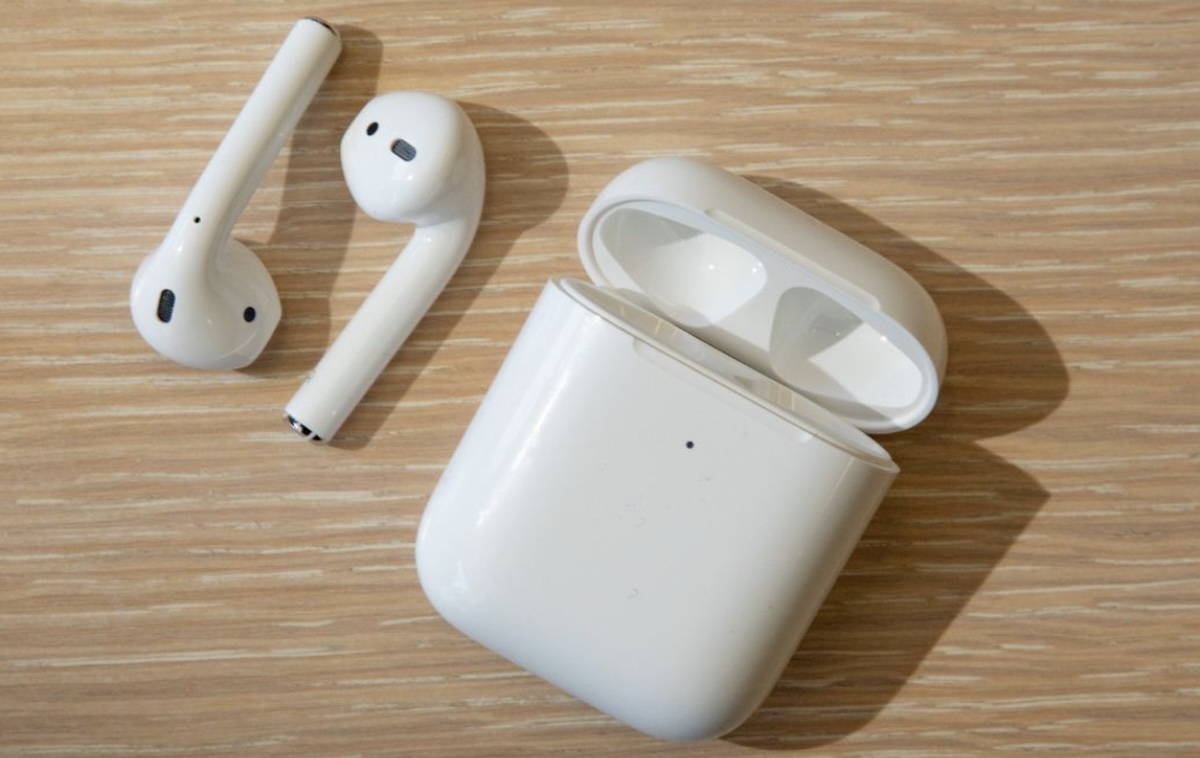
It was a crisp Monday morning. Sarah, a 32-year-old marketing executive from Chicago, grabbed her AirPods, ready to drown out the noise of her bustling apartment as she jumped into a virtual meeting. She popped in her earbuds, connected them to her MacBook, and… silence.
Her AirPods disconnected again.
Frustrated, she sighed and asked the question many of us have asked: “Why do my AirPods keep disconnecting?”
If you’re like Sarah—and thousands of others—who experience random AirPods disconnections, you’re not alone. Whether you’re in the middle of a Zoom call, jamming to your favorite playlist, or on a run, sudden disconnections can be maddening.
In this comprehensive guide, we’ll explore the real reasons why AirPods disconnect, and how you can fix them quickly and permanently.
📱 1. Common Reasons Your AirPods Keep Disconnecting
Let’s get into the root causes—without the tech jargon.
✅ 1.1 Bluetooth Interference
Think of Bluetooth like a radio signal. If too many devices (think: Wi-Fi routers, smart TVs, microwaves) are crowding the same frequency, it gets noisy, and your AirPods may struggle to stay connected.
Fix:
- Move away from heavily trafficked Wi-Fi zones.
- Turn off Bluetooth on nearby unused devices.
- Try using your AirPods in a different room.
✅ 1.2 Low Battery Levels
AirPods may disconnect when one or both buds—or the case—have low battery.
Fix:
- Fully charge your AirPods and the case.
- Keep an eye on battery levels via your iPhone widget or Mac menu bar.
✅ 1.3 Outdated Software
Just like apps need updates, your AirPods firmware and the connected device (iPhone, iPad, Mac) should be current.
Fix:
- Update your iPhone or Mac to the latest iOS/macOS.
- Place AirPods in the charging case, connect to power, and leave near your phone for automatic firmware updates.
✅ 1.4 Faulty Bluetooth Connection
Sometimes, a corrupted pairing session can mess things up.
Fix:
- Go to Settings > Bluetooth, tap the “i” next to your AirPods, and choose Forget This Device.
- Reconnect by placing them near your device and following the pairing prompt.
✅ 1.5 Automatic Switching Confusion
If you use your AirPods with multiple Apple devices, they might try to switch automatically—even when you don’t want them to.
Fix:
- On iPhone: Go to Settings > Bluetooth > Your AirPods > Connect to This iPhone, and choose When Last Connected to This iPhone.
- Do the same on your iPad or Mac.
🧠 2. Real User Story: The Fix That Worked
Remember Sarah? Here’s what she did.
After forgetting and re-pairing her AirPods, turning off automatic switching, and updating her iOS, she finally got through a whole Zoom meeting without any interruptions. The culprit? Her Apple Watch was trying to auto-connect at the same time. A small setting change made a big difference.
🔎 3. Extra Troubleshooting Tips
If you’ve tried the above and your AirPods still keep disconnecting, these advanced fixes might help:
🧹 3.1 Clean Your AirPods
Dust or earwax can interfere with the sensor that detects when they’re in your ear.
Fix:
- Use a dry cotton swab or a soft-bristle brush.
- Gently clean the mesh, sensors, and case.
🌐 3.2 Reset Your AirPods
This gives them a fresh start.
Steps:
- Put AirPods in the case.
- Open the lid, press and hold the back button until the LED flashes amber, then white.
- Reconnect to your device.
🔧 3.3 Check for Hardware Issues
Still no luck? It could be a hardware fault.
Fix:
- Visit the Apple Support website.
- If under warranty or AppleCare+, a replacement might be free.
💡 4. How to Prevent AirPods from Disconnecting (For Good)
- Keep your AirPods clean and dry.
- Regularly update all your Apple devices.
- Avoid using them near high-interference electronics.
- Set AirPods to connect manually, not automatically, to avoid confusion between devices.
🧭 Don’t Let Disconnections Disrupt You
Disconnection issues don’t mean your AirPods are broken. Most of the time, they just need a little software nudge or environmental change.
If you’ve ever wondered “Why do my AirPods keep disconnecting?”, know that you’re not alone—and there’s almost always a fix.
Just like Sarah, a few small changes could mean seamless sound and stress-free Zoom calls from here on out.
🛠 Quick Fix Checklist
| Problem | Fix |
|---|---|
| Bluetooth interference | Move location, reduce nearby devices |
| Low battery | Fully charge AirPods & case |
| Auto-switching | Set connection to manual |
| Dirty sensors | Clean with soft tools |
| Outdated software | Update iOS/macOS and firmware |
| Faulty pairing | Forget & reconnect AirPods |
| Hardware issues | Contact Apple Support |
🔍 FAQ
Q: Can AirPods disconnect because of Wi-Fi?
A: Indirectly, yes. Wi-Fi uses similar frequencies and can cause interference.
Q: Why do my AirPods disconnect on calls but not music?
A: Phone calls use different Bluetooth profiles (HFP), which can be more sensitive to signal drops.
Q: Are AirPods Pro less likely to disconnect?
A: Not necessarily, but newer models with updated chips (like the H2) tend to handle interference better.
✨ Found this helpful?
If your AirPods are behaving again, consider sharing this guide with a friend or bookmark it for next time they act up.