
Now you need to comeback to first step to click DNS menu.
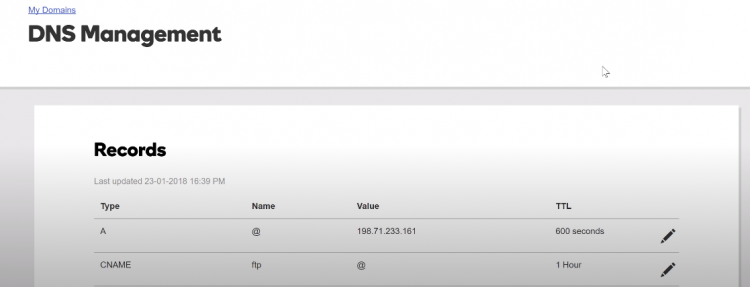
You will see DNS Management page.
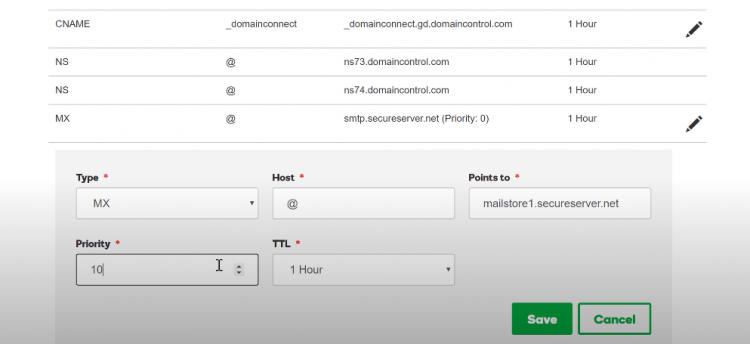
Scroll down to put Add on Records.
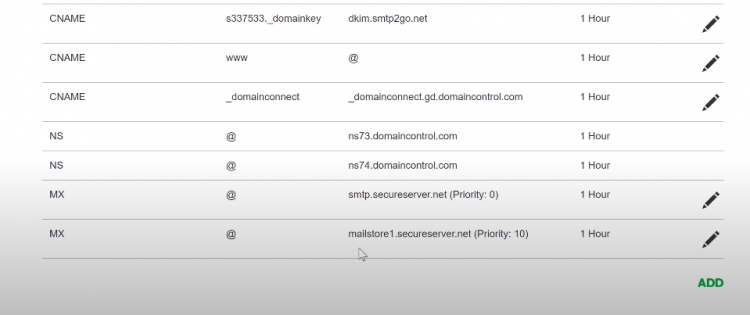
Now try to send email to your business email. It is to test if the forwarding system work properly. At this stage, you should not find any problem.
You are halfway to understand How to set up business email on gmail.
Next is to send email from your business domain name.
Read: 22 Home Business Ideas
Step Four – SMTP Account
To send emails from your own domain, you are going to need SMTP server.
You need to create account with SMTP2go.com
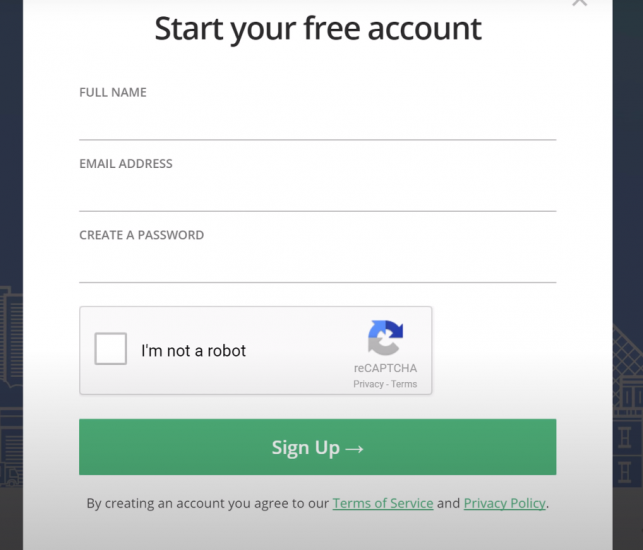
Make a free account.
If you see this page, your SMTP account is ready.
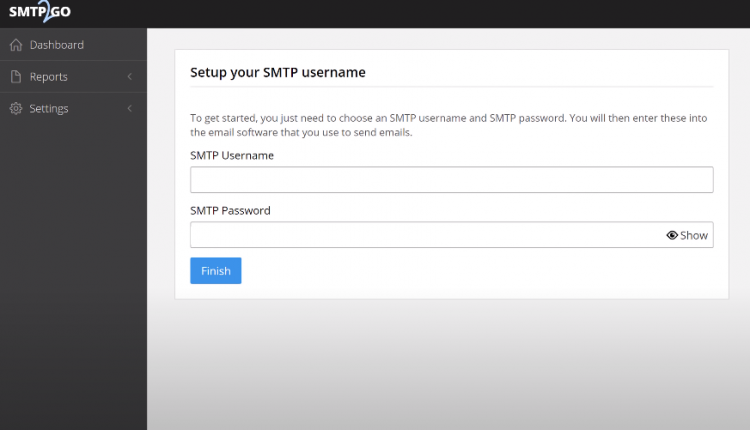
Click on finish to get your SMTP Server address.
Fill SMTP Username and SMTP Password.
Once you fill in username and password, click finish and you will see SMTP server. It is going to be look like: mail.smtp2go.com
Step Five – Gmail Setting
Go to gmail.
Click account settings
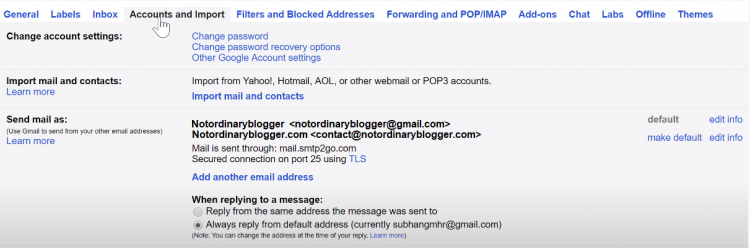
Choose accounts and import
Click add another email address
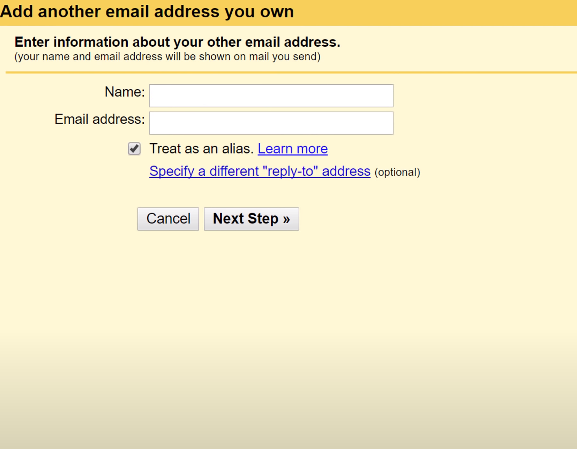
From name: name you want to appear on your email
Email address: the new business email address you want.
Click next step
Copy paste username and password from SMTP2Go
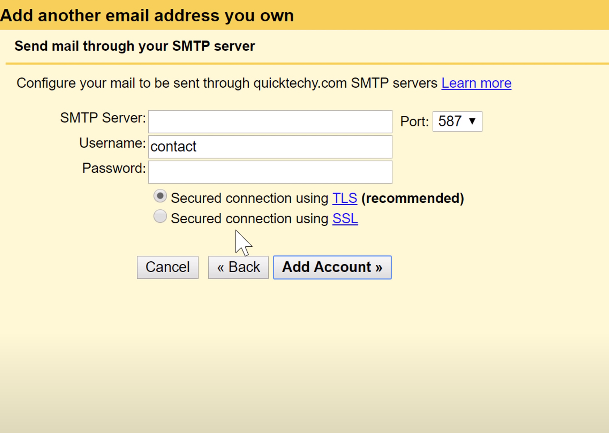
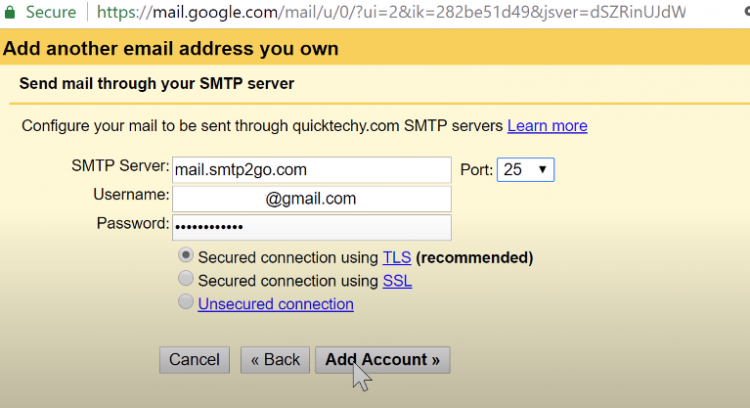
SMTP Server information also available on your SMTP2Go Dashboard. It is going to be look like: mail.smtp2go.com
Set the port to 25
Then click Add Account
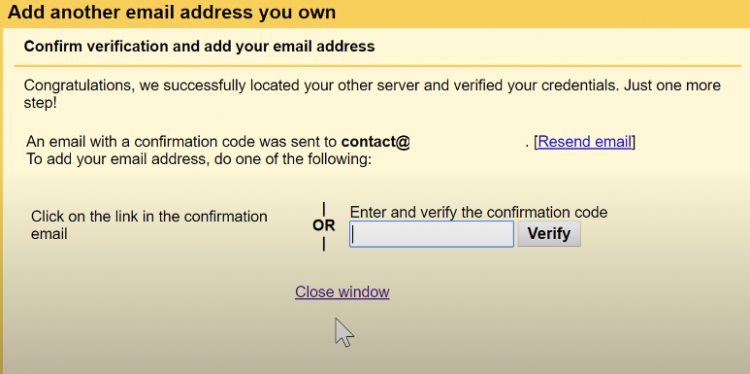
Gmail will send you confirmation code to your business email. You need to copy paste the code to verify this step.
One more step.