Invoices play a crucial role in business transactions, ensuring that sellers receive payments for goods or services provided. Whether you are a freelancer, small business owner, or large enterprise, knowing how to create and send invoices properly can help maintain cash flow and professional relationships. This guide will cover everything you need to know about invoices, including their purpose, types, and the best ways to send them.
What Is an Invoice?
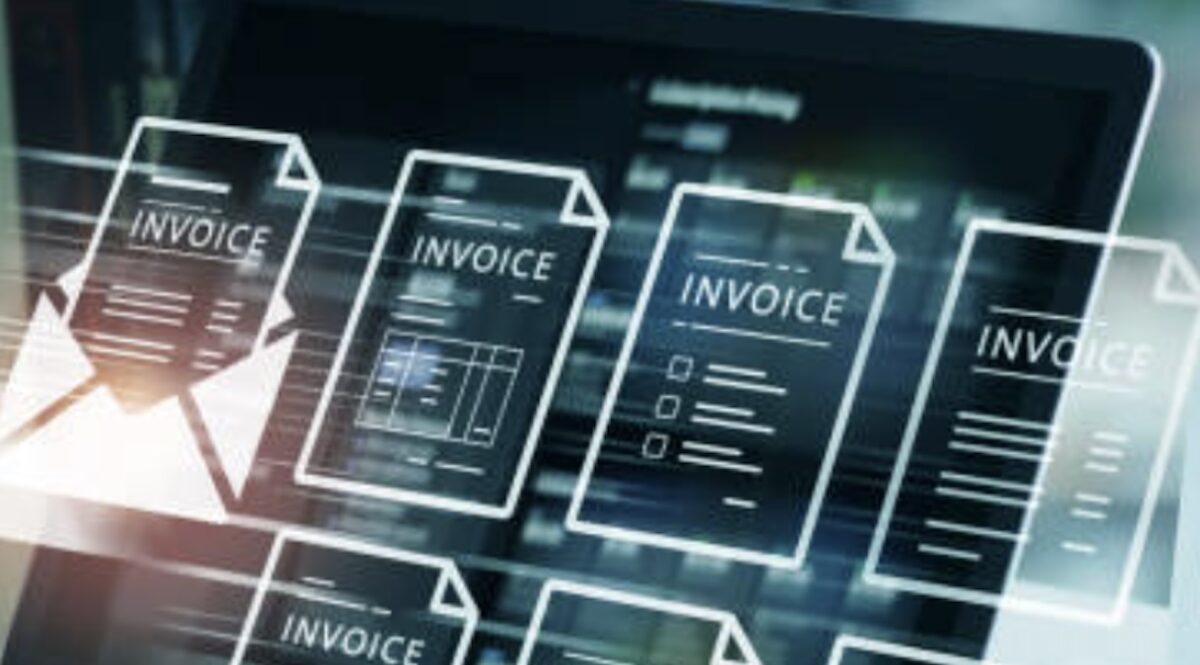
An invoice is a formal document issued by a seller to a buyer, detailing the goods or services provided, their costs, and payment terms. It serves as a payment request and includes key details such as:
• Seller and buyer information (name, address, contact details)
• Invoice number (unique identifier)
• Invoice date and due date
• Description of goods or services
• Quantity and price per item
• Total amount due, including taxes and discounts (if applicable)
• Payment terms and methods (e.g., bank transfer, PayPal, credit card)
Invoices serve as legal records of transactions, help businesses track payments, and are essential for tax and accounting purposes.
How to Create an Invoice
Creating an invoice can be done manually or using invoicing software. Here’s a step-by-step guide to making a professional invoice:
1. Choose an Invoice Format
You can create an invoice using:
• Microsoft Word or Excel templates
• Google Docs or Google Sheets
• Accounting software like QuickBooks, FreshBooks, or Wave
• Online invoice generators (e.g., Zoho Invoice, PayPal)
2. Add Business and Client Details
Include your company’s name, logo, and contact details. Add the recipient’s name, business name (if applicable), and contact information.
3. Assign an Invoice Number
A unique invoice number helps with record-keeping. You can use sequential numbers (e.g., INV-001, INV-002) or a combination of letters and numbers.
4. Specify Invoice and Due Dates
The invoice date is when it is issued, while the due date indicates when the payment is expected. Common payment terms include:
• Net 30: Payment due in 30 days
• Net 15: Payment due in 15 days
• Due on Receipt: Payment required immediately
5. List Goods or Services Provided
Describe the products or services delivered, including the quantity, unit price, and total cost for each item.
6. Include Total Amount and Payment Terms
Calculate the subtotal, add taxes or discounts, and display the final amount due. Mention accepted payment methods and any late payment penalties.
What Does an Invoice Look Like?
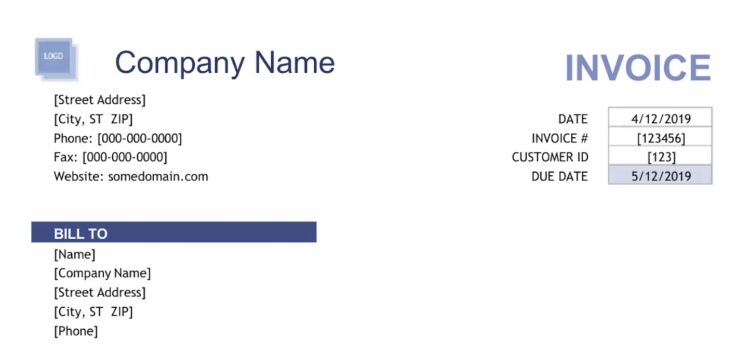
A standard invoice typically includes:
• Business logo and header
• Seller and buyer details
• Invoice number and date
• Itemized list of products/services
• Subtotal, taxes, and final total
• Payment instructions
Here’s a simple example of an invoice layout:
[Your Business Name]
[Your Address]
[Your Email & Phone]
Invoice Number: 001
Invoice Date: [MM/DD/YYYY]
Due Date: [MM/DD/YYYY]
Bill To:
[Client Name]
[Client Address]
Description | Quantity | Unit Price | Total
————————————————–
Service A | 2 | $50 | $100
Product B | 3 | $20 | $60
————————————————–
Subtotal: $160
Tax (10%): $16
Total Due: $176
Payment Terms: Net 30
Accepted Payment Methods: Bank Transfer, PayPal
[Your Business Name]
[Your Address]
[Your Email & Phone]
Invoice Number: 001
Invoice Date: [MM/DD/YYYY]
Due Date: [MM/DD/YYYY]

Bill To:
[Client Name]
[Client Address]

Description       | Quantity | Unit Price | Total
--------------------------------------------------
Service A        | 2       | $50       | $100
Product B        | 3       | $20       | $60
--------------------------------------------------
Subtotal: $160
Tax (10%): $16
Total Due: $176

Payment Terms: Net 30
Accepted Payment Methods: Bank Transfer, PayPal
What Is a Pro Forma Invoice?
A pro forma invoice is a preliminary bill sent before delivering goods or services. Unlike a regular invoice, it is not a demand for payment but a document that provides an estimate. Businesses use pro forma invoices for:
• Providing cost estimates before a deal is finalized
• Assisting in international trade (customs clearance)
• Gaining client approval before issuing a final invoice
A pro forma invoice includes similar details as a standard invoice but may state that it is “Not a Tax Invoice” or “For Quotation Purposes Only.”
How to Send an Invoice

Once you have created your invoice, sending it promptly is key to getting paid on time. There are two main ways to send an invoice:
1. Sending an Invoice via Email
Email is the fastest and most common method. Follow these steps:
• Attach the invoice as a PDF file to prevent editing
• Use a clear subject line, such as:
“Invoice #001 from [Your Business Name]”
• Write a professional email message, for example:
Subject: Invoice #001 – Payment Due [Due Date]
Dear [Client’s Name],
Please find attached Invoice #001 for the services provided. The total amount due is $176, payable by [Due Date].
Payment can be made via [Payment Methods]. Kindly confirm receipt of this invoice.
Let me know if you have any questions.
Best regards,
[Your Name]
[Your Business Name]
2. Sending an Invoice by Mail
If a client prefers paper invoices, follow these steps:
• Print the invoice on professional letterhead
• Include a return envelope for easy payment
• Use a secure mailing service, especially for large transactions
Sending an Invoice Properly
To ensure smooth payments:
• Create a clear, professional invoice with all required details
• Choose the right format and numbering system
• Specify payment terms and due dates
• Send invoices promptly via email or mail
• Follow up politely if payment is late
By handling invoices professionally, businesses can improve cash flow, maintain good client relationships, and avoid payment delays.